AI Image Effect

AI Flyer Generator

Build a focused flyer image with a guided Seedance 2.5 workflow.

Start with a text prompt or uploaded image and describe the composition, lighting, color, styling, and subject detail that matter for this flyer image. Generate a first image, compare variations, and refine the direction until it fits your intended story, campaign, or design.

Indie music flyer, distressed headline, stage lights, bold date block, nightlife energyCoffee shop grand opening flyer, warm roasted palette, clean offer callouts, inviting counter sceneTech meetup flyer, blue interface glow, future-forward typography zones, product demo energyMinimal yoga workshop flyer, airy white space, soft wellness tones, readable class details
Purpose-Built
Focused controls for composition, light, style, and subject detail.
Creator-Ready
Useful for campaign concepts, social visuals, thumbnails, and design exploration.
Seedance 2.5
A reusable visual direction that can continue into other Seedance 2.5 workflows.
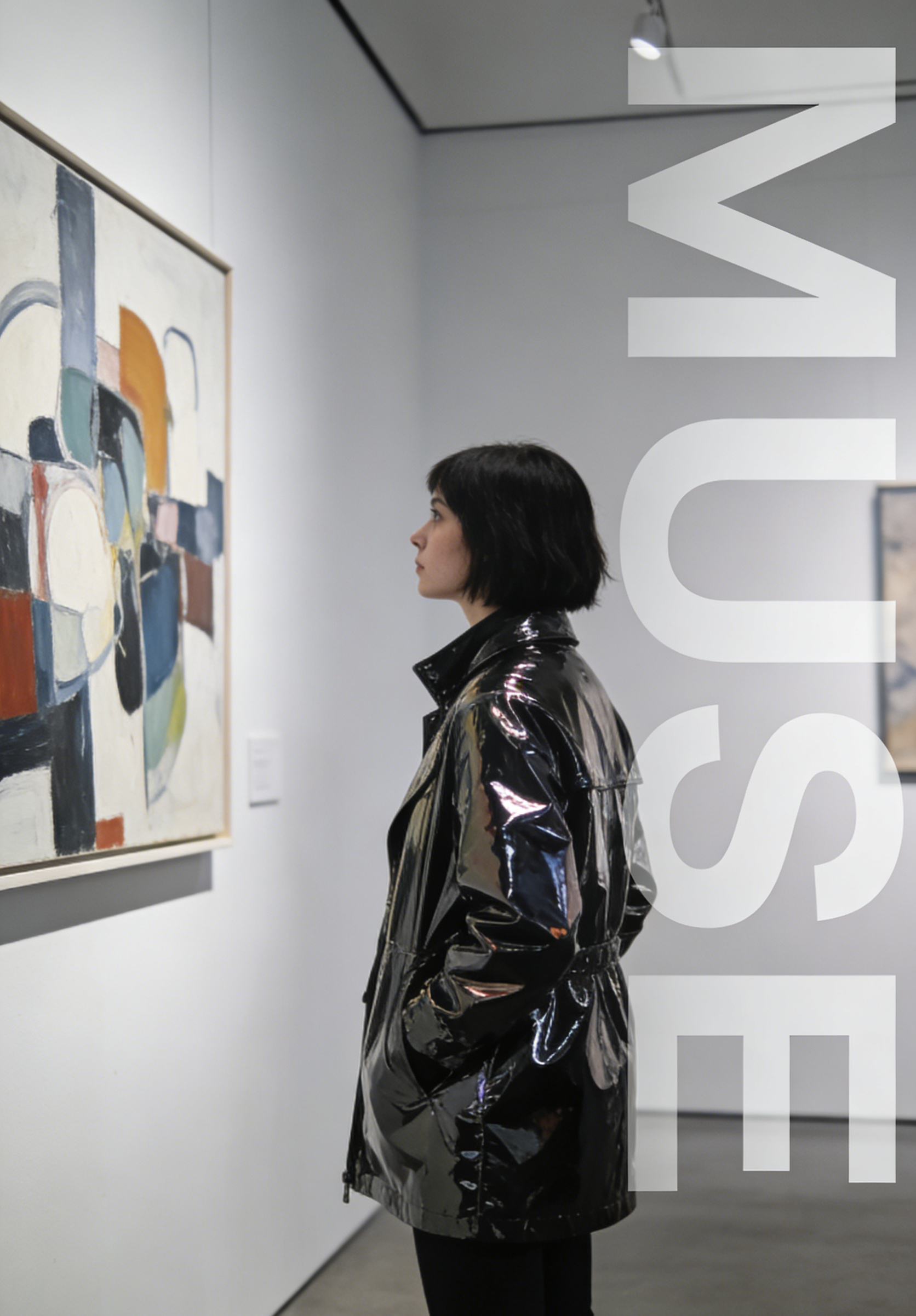
A gallery exhibition flyer with vertical MUSE text and a visitor in a black coat
Featured Flyer
From gallery promos to nightlife posters and local campaigns

Use this example to study the framing, detail, and creative decisions that make a flyer image feel intentional rather than generic.

Style directions

Explore flyer directions across business, culture, and nightlife

This gallery covers food promotion, tech launches, wellness classes, party posters, educational handouts, and real-estate marketing so users can choose a campaign direction fast.

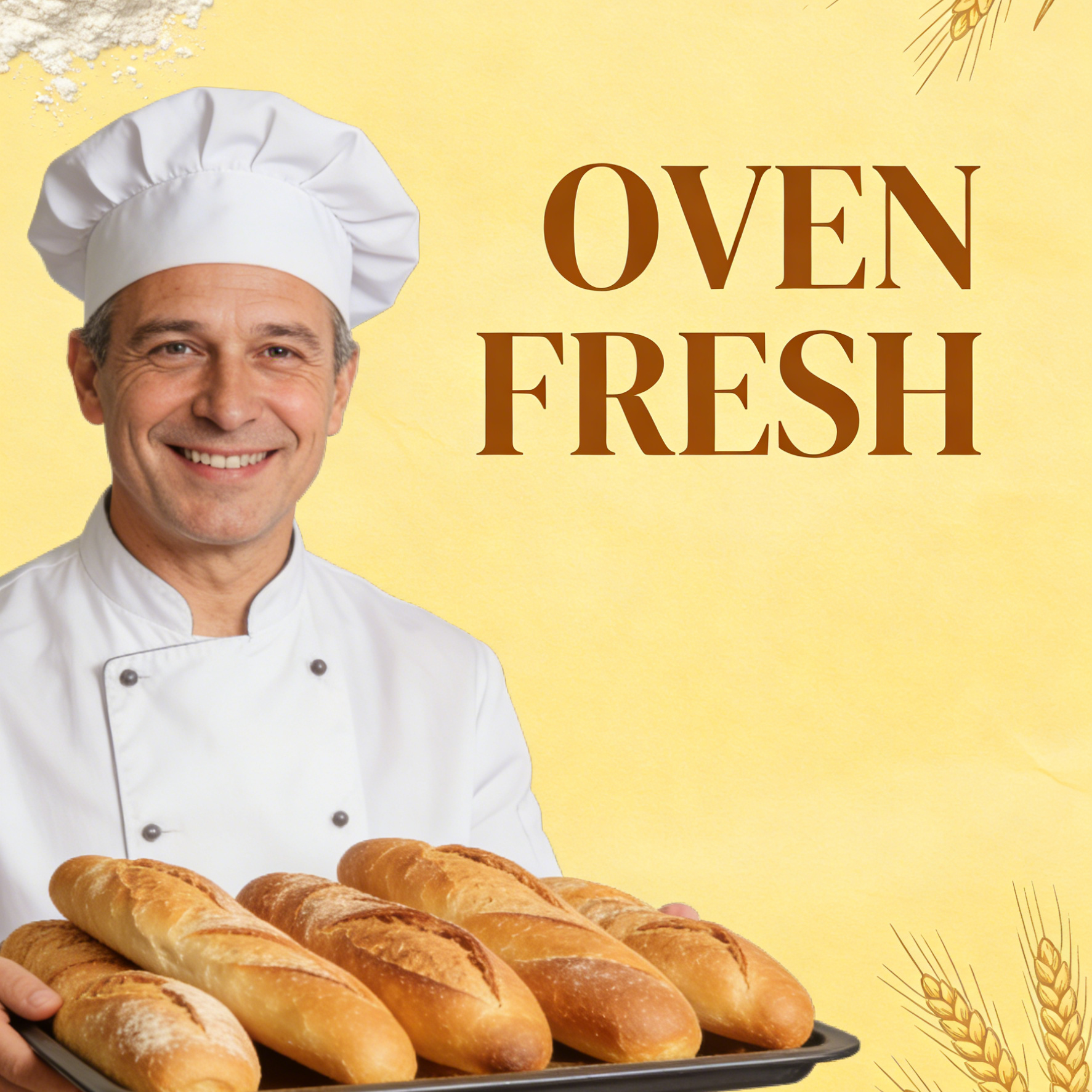
A bakery opening flyer with a baker and OVEN FRESH branding
Food Promotion

Oven Fresh Opening

Warm bakery branding with simple offer space, product-led storytelling, and neighborhood-launch energy.

Bakery grand opening flyer, smiling chef with bread tray, warm yellow brand palette, large headline area, local promo layout.

A tech event flyer with an innovator and NEXT GEN logo
Tech Business

Next Gen Meetup

A startup-style event flyer with interface overlays, launch-night mood, and modern conference branding.

Tech event flyer, founder portrait with glowing tablet dashboard, NEXT GEN headline, clean blue launch branding, presentation-style hierarchy.
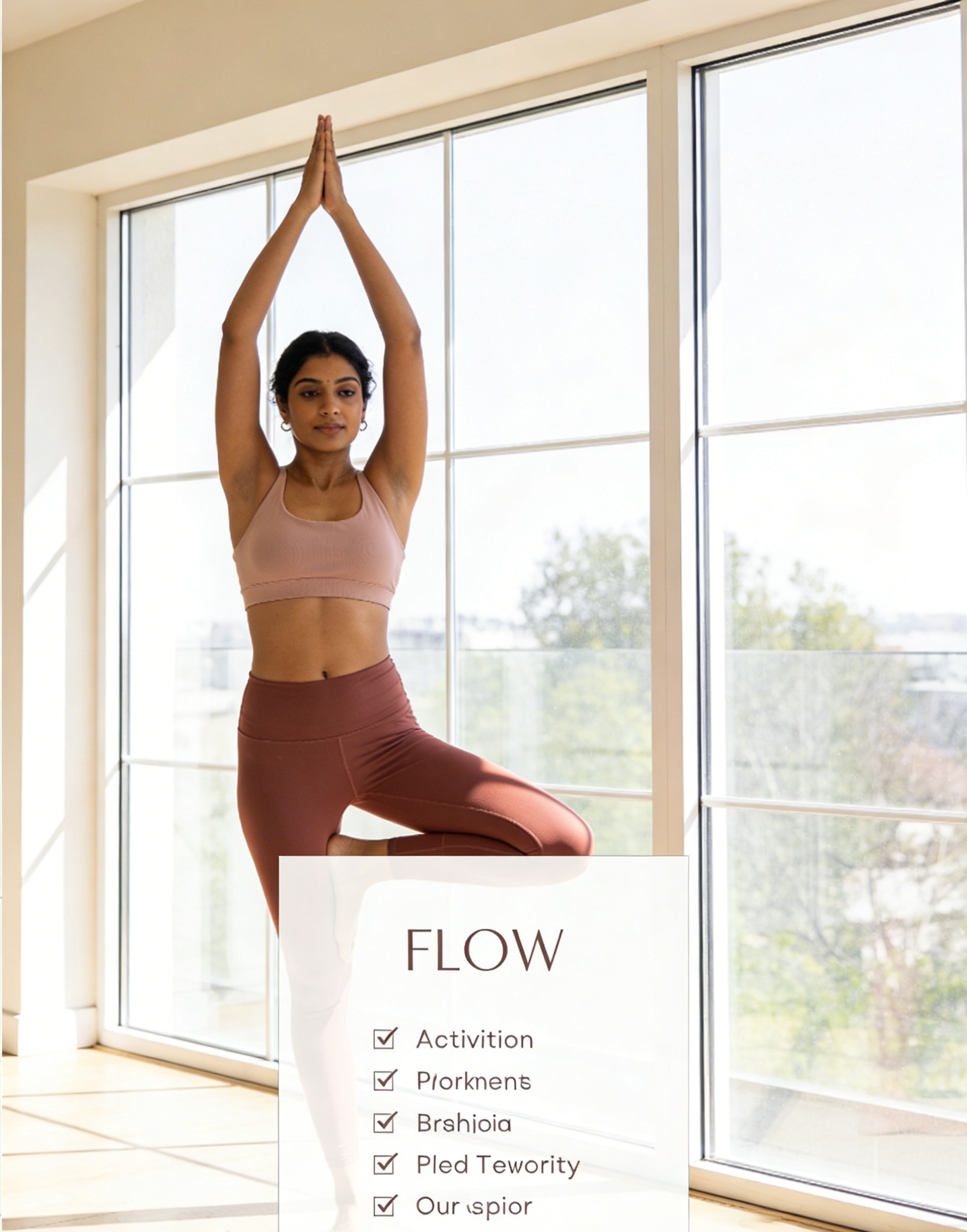
A minimalist yoga flyer with a female instructor and FLOW text
Wellness & Yoga

Flow Session

Calm class-promo design with breathing room, soft sunlight, and a simple checklist-friendly layout.

Minimal yoga flyer, female instructor by bright windows, clean wellness palette, class schedule area, elegant FLOW headline.
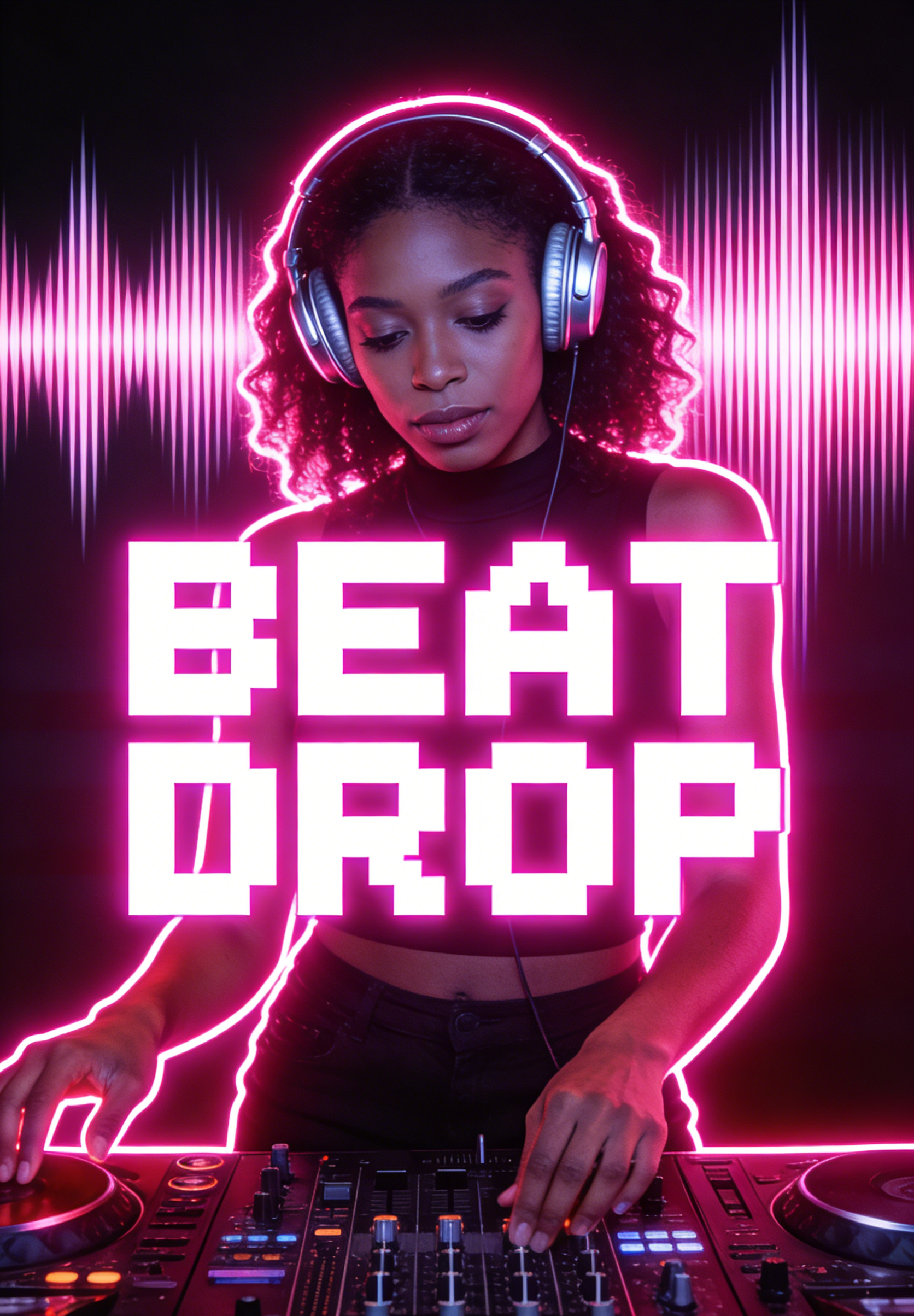
A vibrant party flyer featuring a DJ and BEAT DROP neon text
Nightlife Party

Beat Drop Night

Neon club-poster energy with loud visual rhythm, performer focus, and high-contrast headline treatment.

Nightclub flyer, DJ portrait with neon audio waves, bold BEAT DROP title, nightlife poster design, electric magenta lighting.
An educational flyer with a teacher and artistic LEARN text
Education & Art

Learn Workshop

A bright education flyer that mixes teacher warmth with playful lettering and classroom credibility.

Creative workshop flyer, smiling teacher beside chalkboard drawings, colorful cutout lettering, friendly education promo layout.
A real estate flyer with an agent and gold HOME branding
Real Estate

Home Open House

Property-promo styling with premium agent presentation, aspirational architecture, and clear sales framing.

Real estate flyer, suited agent holding house key, luxury home backdrop, polished HOME headline, clean open-house marketing layout.
Example gallery

See AI-generated flyers for culture, retail, community, and entertainment

These examples push the workflow beyond one industry. You can use the same flyer-first prompt direction for gallery invites, eco campaigns, salon promos, cafe openings, concert posters, and esports events.

A gallery exhibition flyer with vertical MUSE text and a visitor in a black coat
Exhibition Flyer

Muse Gallery Show

A fashion-forward exhibition flyer that feels premium, editorial, and suited to gallery or museum promotion.

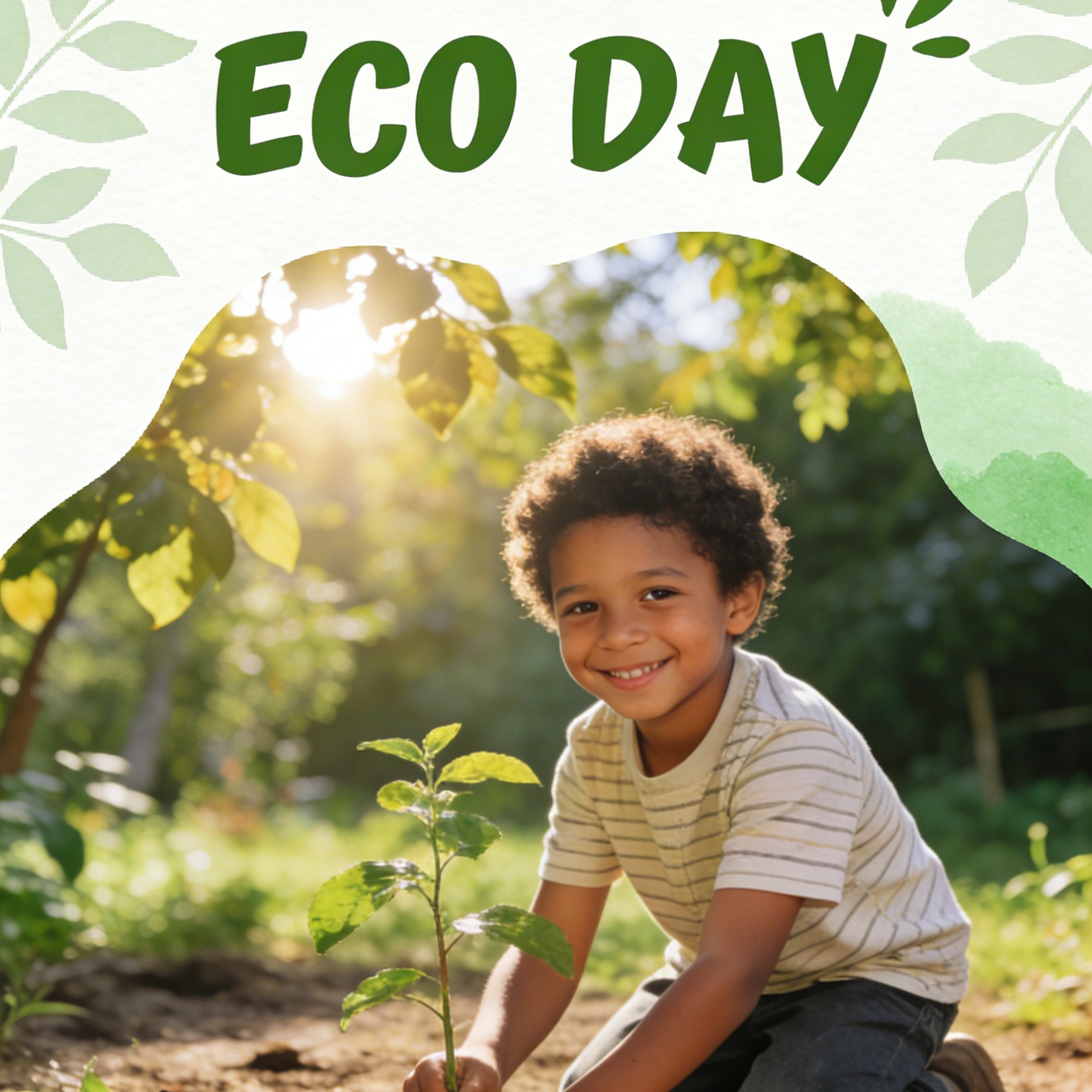
An environmental charity flyer with a child and ECO DAY slogan
Community Campaign

Eco Day Flyer

A warm environmental event flyer with community energy, family appeal, and a cause-driven headline.

A hair salon flyer featuring a stylist and GLAM metallic text
Beauty Promotion

Glam Salon Offer

A beauty-service flyer with mirrored styling, clean glamour cues, and promo-ready composition for salons or personal brands.

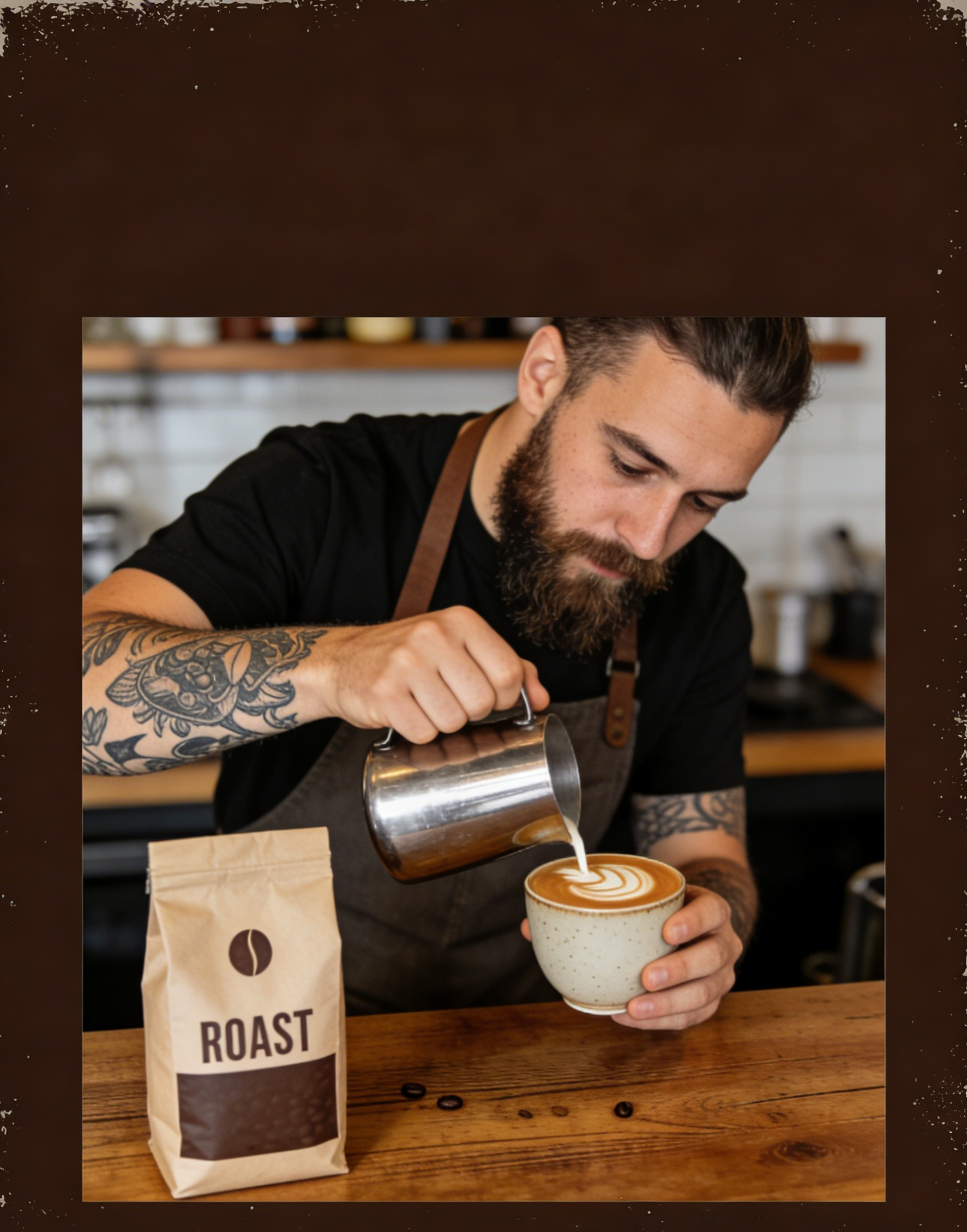
A coffee shop flyer with a barista and ROAST coffee branding
Cafe Opening

Roast Coffee Launch

A product-and-barista flyer concept that works for local coffee shops, menu launches, or neighborhood openings.

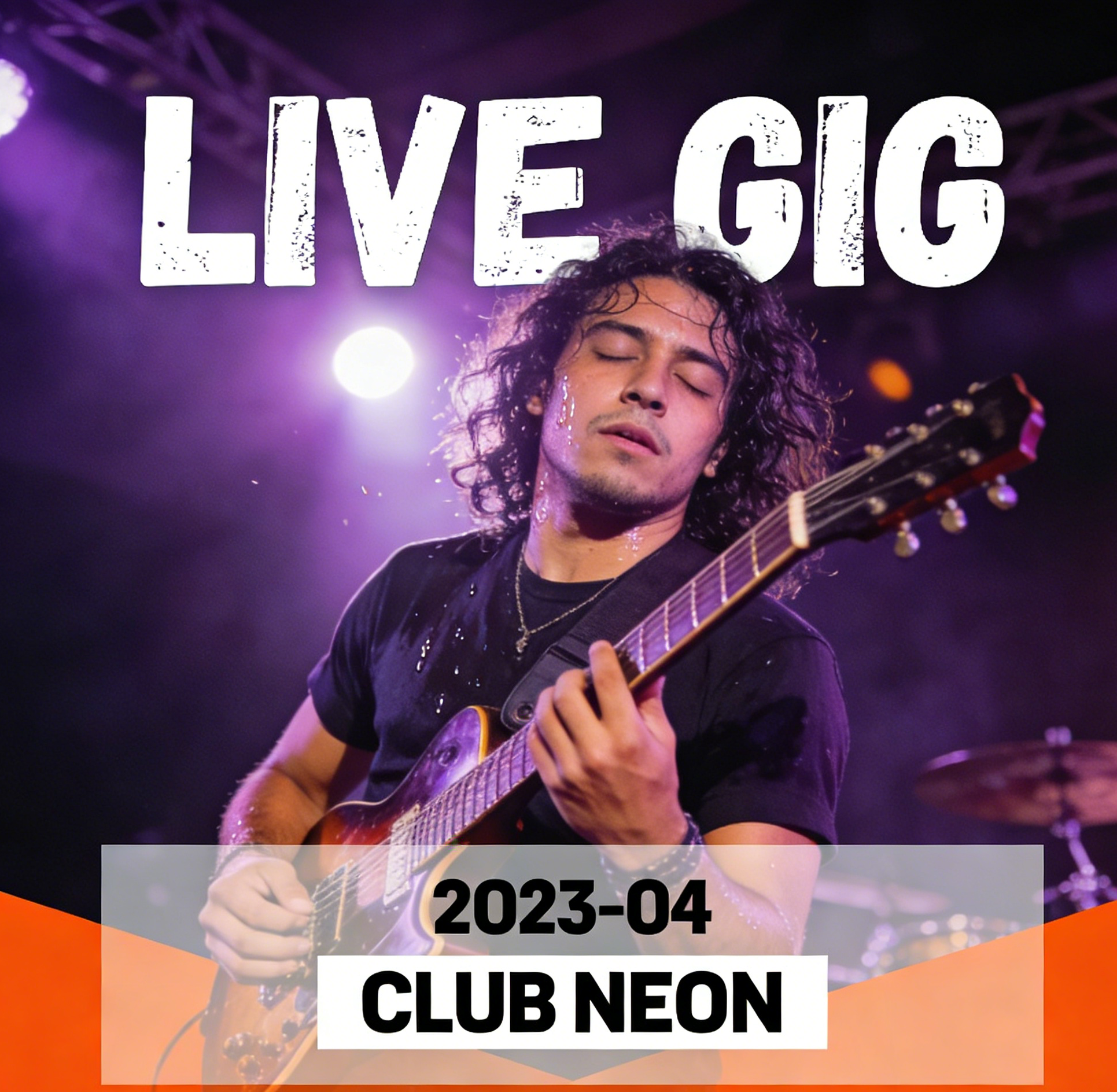
A rock concert flyer featuring a guitarist and LIVE GIG text
Concert Poster

Live Gig Poster

A sweat-and-stage poster layout with readable date placement and enough energy for music venue promotion.

An esports tournament flyer with a gamer and LEVEL UP text
Esports Event

Level Up Tournament

A competitive gaming flyer with neon intensity, gamer focus, and obvious event-promo structure.

Why creators use it

Build a stronger flyer image workflow

Move from a broad idea to a usable image with clearer direction, faster comparisons, and a practical handoff into Seedance 2.5.

01

Clear creative direction

Shape the composition, lighting, color, and subject details for a more intentional flyer image result.

02

Focused iteration

Use a clear reference and focused direction to keep the flyer image look coherent across variations.

03

Practical handoff

Refine the strongest output for social posts, campaign concepts, thumbnails, or design exploration.

04

Reusable output

Compare alternate framing and styling choices before selecting the final flyer image.

Creative uses

Where a flyer image fits

Use this workflow when you need a specific flyer image rather than a generic asset. Define the intended audience, platform, and visual or tonal direction before generating.

  • Develop a clear flyer image concept before committing to a full campaign or production.
  • Test composition, lighting, wardrobe, background, and visual style in focused variations.
  • Create an approval-ready reference for clients, collaborators, or downstream editing.
  • Reuse the strongest visual direction across social, advertising, editorial, or product work.
Pro Tip

Write a production-ready prompt

Describe concrete production cues such as composition, lighting, color, styling, and subject detail. Specific direction gives the generator a clearer target and makes each revision easier to evaluate.

Create a flyer-first image with strong headline hierarchy, promotional layout balance, readable callout zones, bold offer framing, event-ready typography spacing, polished poster composition, clear subject focus, print-friendly contrast, and no watermark or extra text unless requested.
Three-step workflow

Create a flyer image in three steps

Start with the prepared workflow, refine the details that define this flyer image, then keep the best result or continue editing in Seedance 2.5.

Step 1

Start with your input

Open the generator and add a text prompt or uploaded image that clearly establishes the subject and creative direction.

Step 2

Direct the result

Describe composition, lighting, color, styling, and subject detail, then remove conflicting instructions that could weaken the flyer image.

Step 3

Review and refine

Compare the generated variations, keep the strongest image, and refine it for the final use.

Questions & Answers

AI Flyer Generator FAQ

Practical answers about creating, refining, and using a flyer image in Seedance 2.5.

What does the AI Flyer Generator create?+

It creates a focused flyer image from a text prompt or uploaded image. Use the available controls to guide composition, lighting, color, styling, and subject detail, then compare variations before choosing the final result.

What source gives the best result?+

Use a clear, high-quality source that makes the main subject easy to identify. A focused source gives the flyer image a stronger visual or tonal foundation.

Which prompt details should I prioritize?+

Prioritize composition, lighting, color, styling, and subject detail. Add only details that directly support the intended flyer image, and remove instructions that compete with one another.

How does this workflow connect with Seedance 2.5?+

Keep the strongest flyer image as a finished asset or continue refining it with another Seedance 2.5 tool. A focused source and concise prompt make later revisions easier to control.

Can I use the generated result in a commercial project?+

Commercial use depends on your plan, the applicable model terms, and the rights attached to your source material. Review the current terms before publishing or selling the result.

Related Flyer Workflows

Continue your creative workflow

Move from this flyer image into the next Seedance 2.5 tool without losing the direction established in your selected result.

Refine Flyers

Refine the result with more tools

Use complementary image, video, and audio tools when the project needs additional editing, motion, sound, or format changes.

Start Creating

Create your flyer image

Start with a text prompt or uploaded image, direct the details that define the flyer image, and refine the strongest result in Seedance 2.5.