AI Image Effect

AI Portrait Generator

Create a distinctive portrait with practical controls and reusable direction.

Start with an uploaded image and describe the composition, lighting, color, styling, and subject detail that matter for this portrait. Generate a first image, compare variations, and refine the direction until it fits your intended story, campaign, or design.

Cinematic Viking portrait with painted face markings and foggy battlefield lightProfessional hospital headshot with calm expression and bright hallway depthWarm family portrait moment at golden hour with natural smiles and motionCyberpunk portrait with holographic reflections and sleek blue interface glow
Purpose-Built
Focused controls for composition, light, style, and subject detail.
Creator-Ready
Useful for campaign concepts, social visuals, thumbnails, and design exploration.
Seedance 2.5
A reusable visual direction that can continue into other Seedance 2.5 workflows.
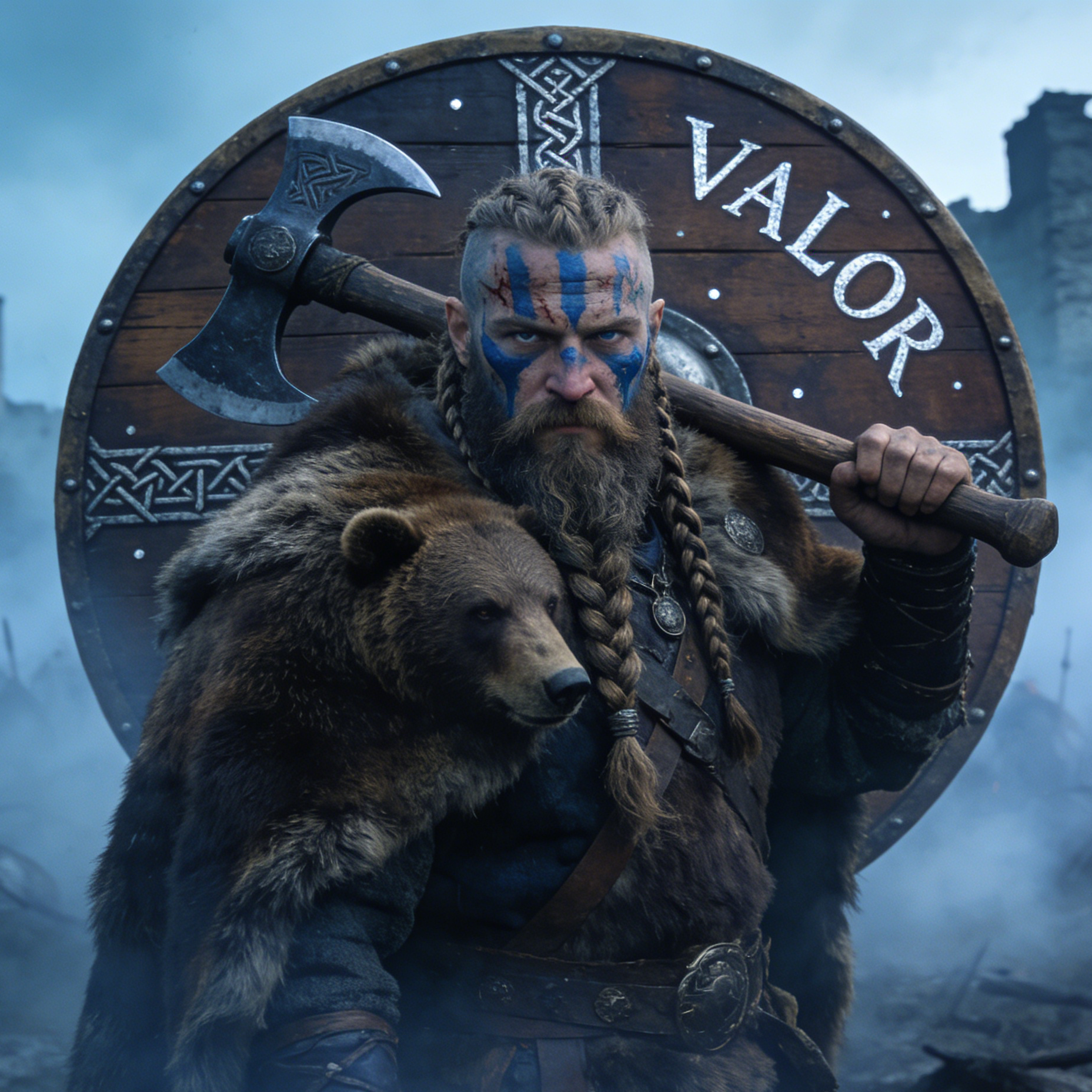
A Viking warrior portrait with blue face paint, a fur cloak, and a large round shield labeled Valor
Featured Portrait
From genre characters to real-world headshots

Use this example to study the framing, detail, and creative decisions that make a portrait feel intentional rather than generic.

Style directions

Discover diverse AI portrait styles and themes

Our AI Portrait Generator offers a wide range of artistic styles, from realistic to cartoon, fantasy, and even historical. Find the perfect look for your vision and bring your unique portraits to life.

A Viking warrior with blue face paint carrying an axe in front of a shield labeled Valor
Fantasy Portrait

Valor Warrior

High-drama character portraiture with costume detail, war paint, fur texture, and cinematic atmosphere.

Epic Viking portrait, braided hair, painted face, fur cloak, bear companion, misty battlefield, dramatic cold light, heroic facial detail.
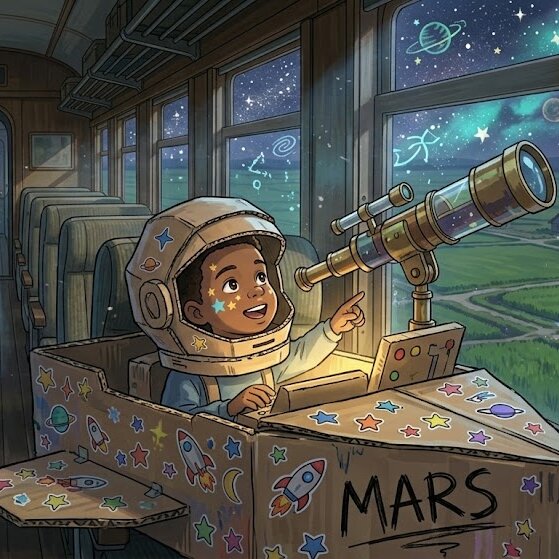
A child in a handmade astronaut helmet sitting in a cardboard Mars cockpit beside a telescope
Storybook Portrait

Space Dreamer

Whimsical illustration-led portraiture for child-focused stories, posters, or keepsake art.

Child portrait in a cardboard astronaut helmet, storybook illustration tone, telescope by a train window, star stickers, warm wonder and imagination.
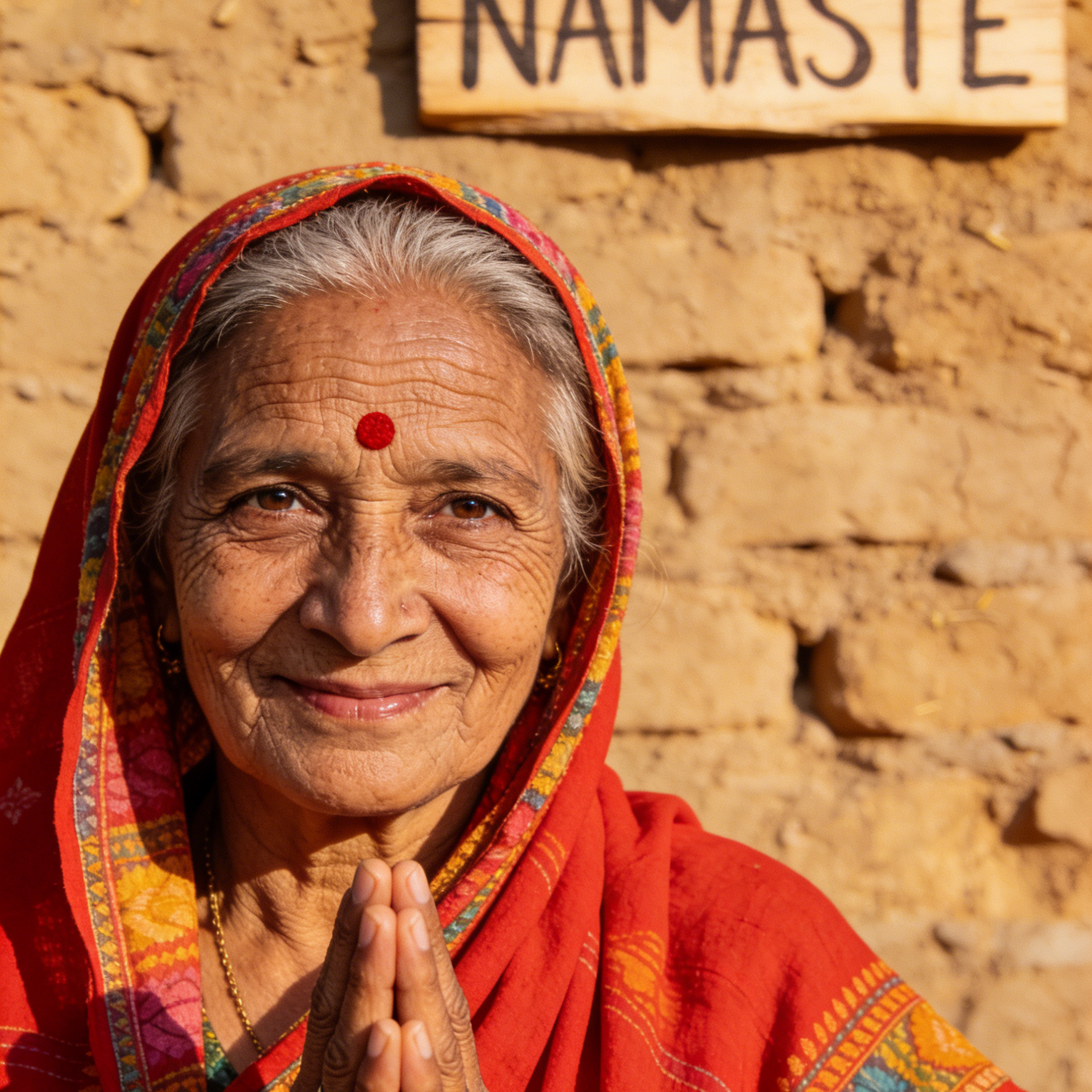
An elderly Indian woman in a red shawl smiling with folded hands beneath a Namaste sign
Cultural Portrait

Namaste Elder

Warm, respectful portraiture grounded in place, heritage, texture, and natural human expression.

Environmental portrait of an elderly woman, traditional red shawl, folded hands, warm sunlight, textured wall background, authentic documentary detail.
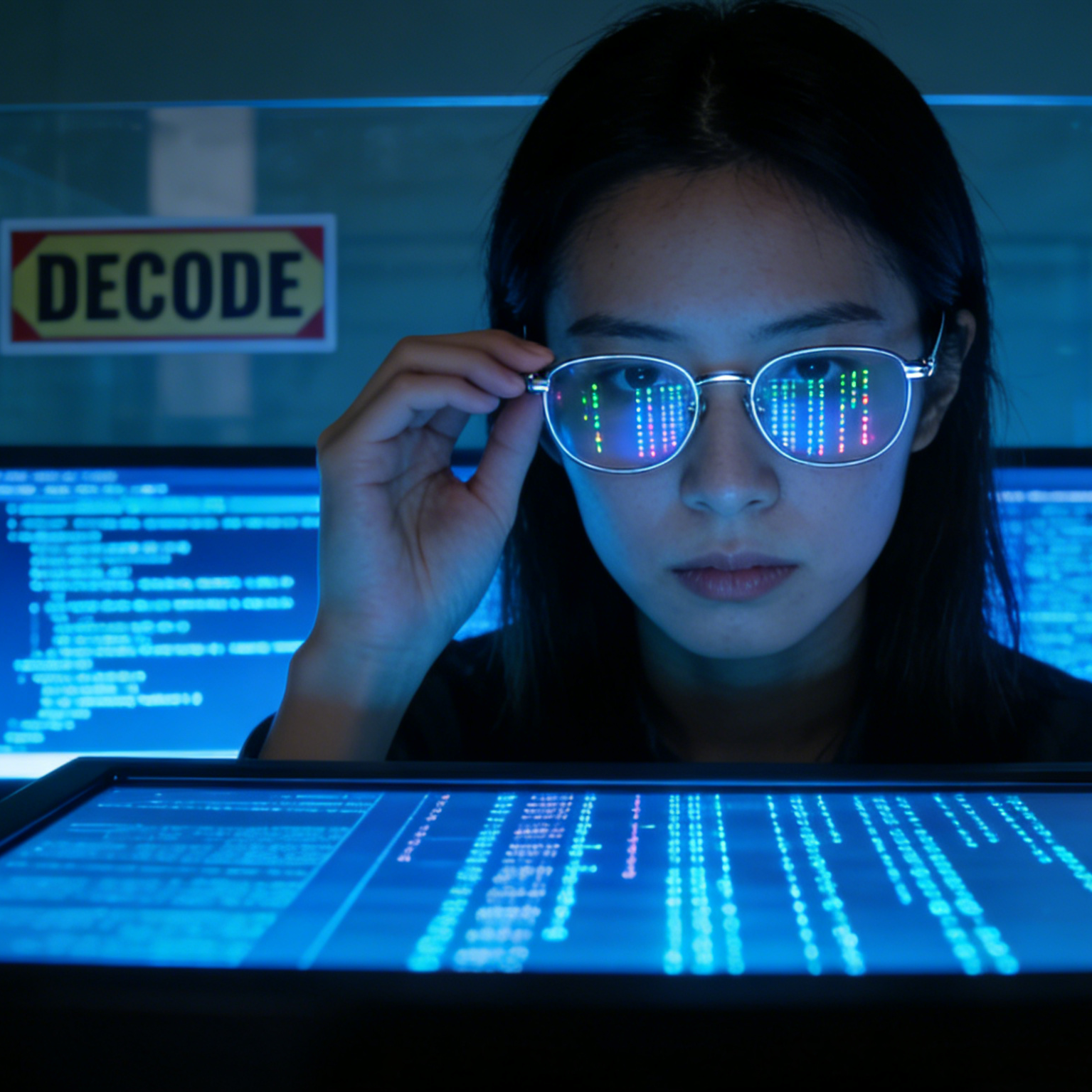
A female hacker portrait with reflected code lights in her glasses and monitors in the background
Cyber Portrait

Decode Hacker

Moody futuristic portraits with reflective glasses, code-light color, and high-tech atmosphere.

Cyber hacker portrait, blue monitor glow, reflective glasses with code, close framing, focused expression, clean futuristic workstation.
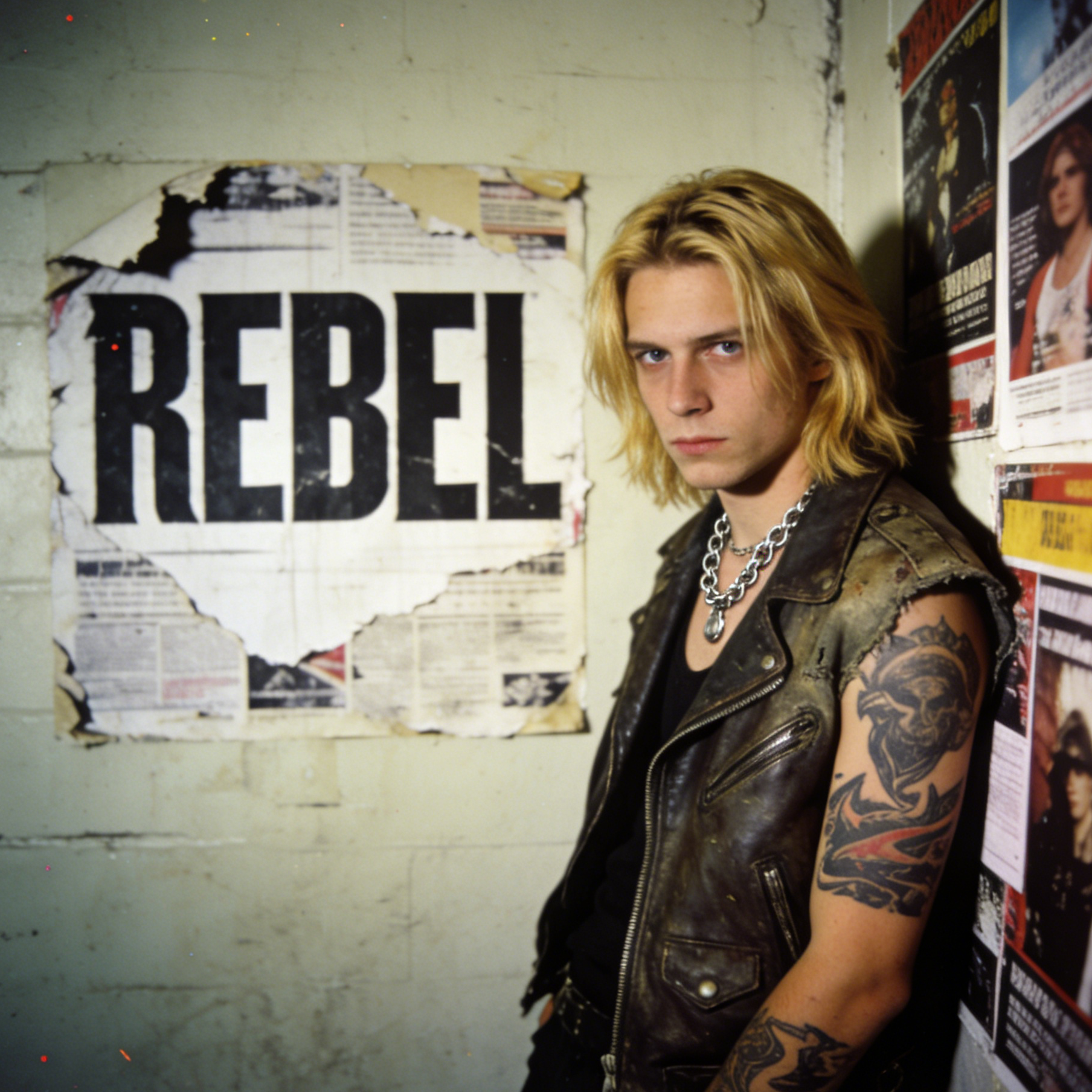
A blond youth in a leather vest standing against a wall with a large Rebel poster
Editorial Portrait

Rebel Editorial

Fashion-led youth portraiture with bold attitude, poster textures, and subculture styling.

Editorial punk portrait, leather vest, tattoo detail, poster wall backdrop, rebellious attitude, gritty flash-lit fashion composition.
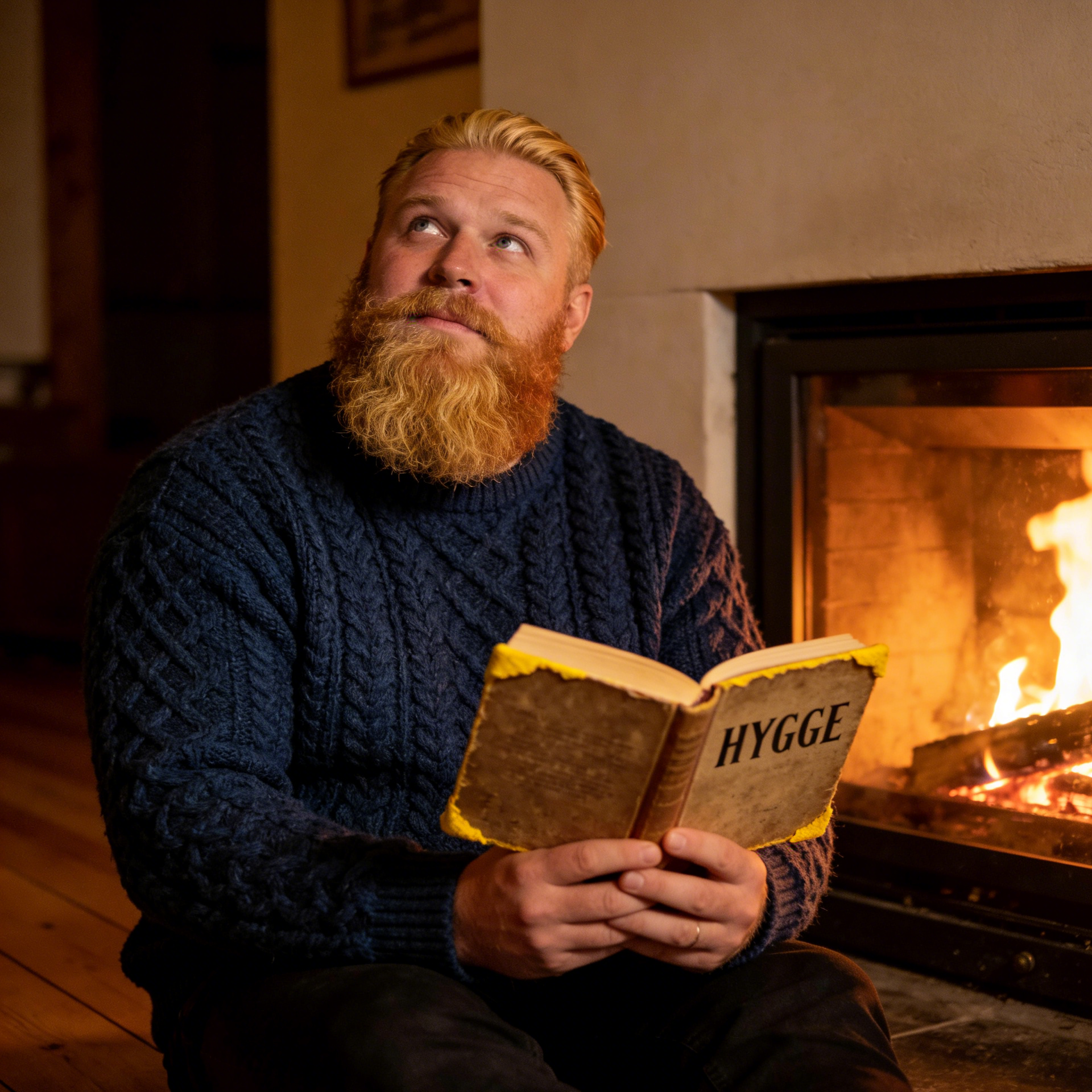
A bearded man in a sweater reading a Hygge book beside a fireplace
Lifestyle Portrait

Hygge Reader

Cozy environmental portraits with domestic warmth, personality, and gentle evening light.

Lifestyle portrait by a fireplace, cable-knit sweater, thick beard, old book, warm amber light, inviting indoor atmosphere.
Example gallery

Generate portraits for every life moment and character brief

Our AI Portrait Generator brings your vision to life for all your cherished memories. From heartwarming family portraits to professional headshots and charming pet art, explore what you can create.

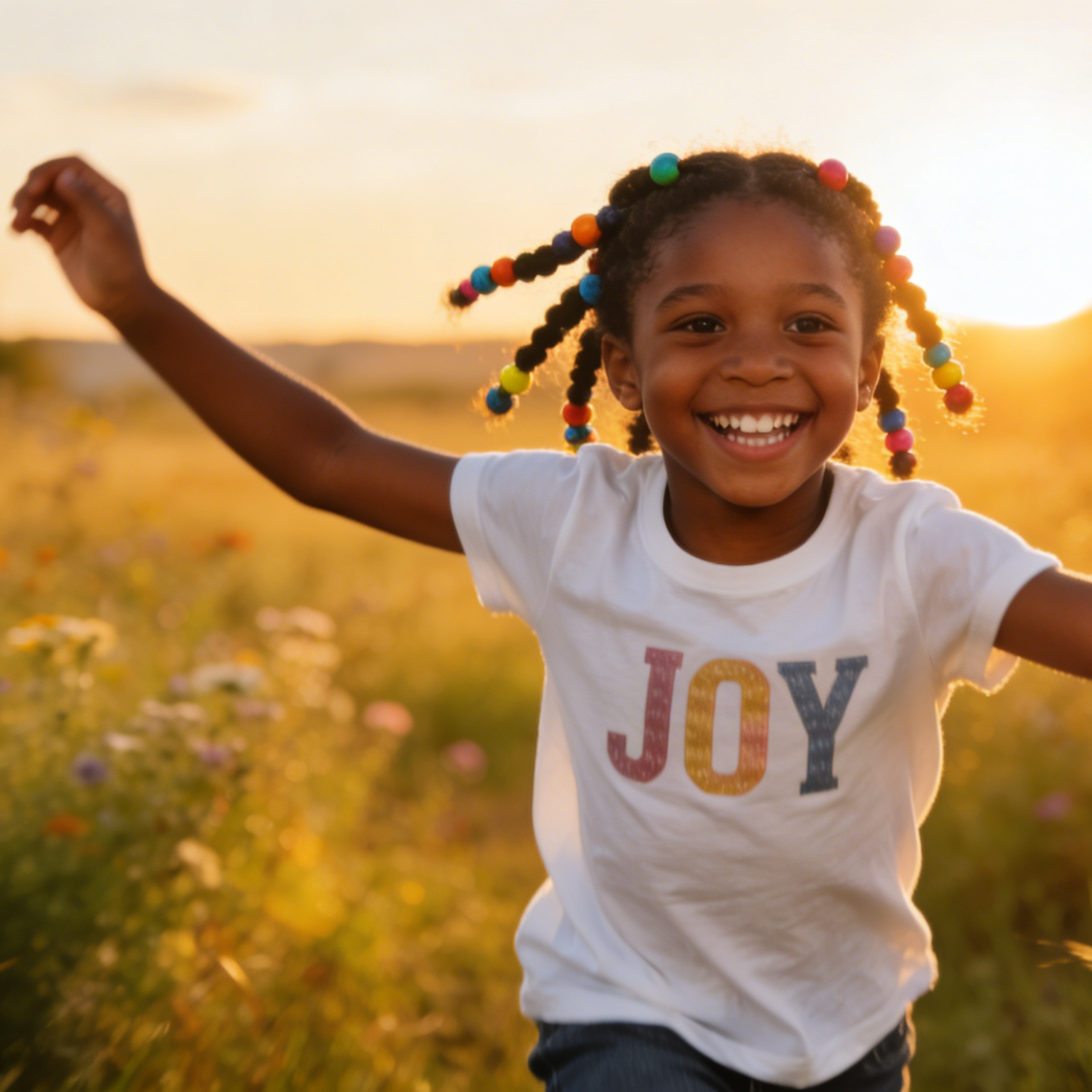
A laughing child in a Joy shirt running through a sunlit field at sunset
Family Moment

Joy Child Portrait

A natural golden-hour portrait that feels candid, bright, and emotionally warm.

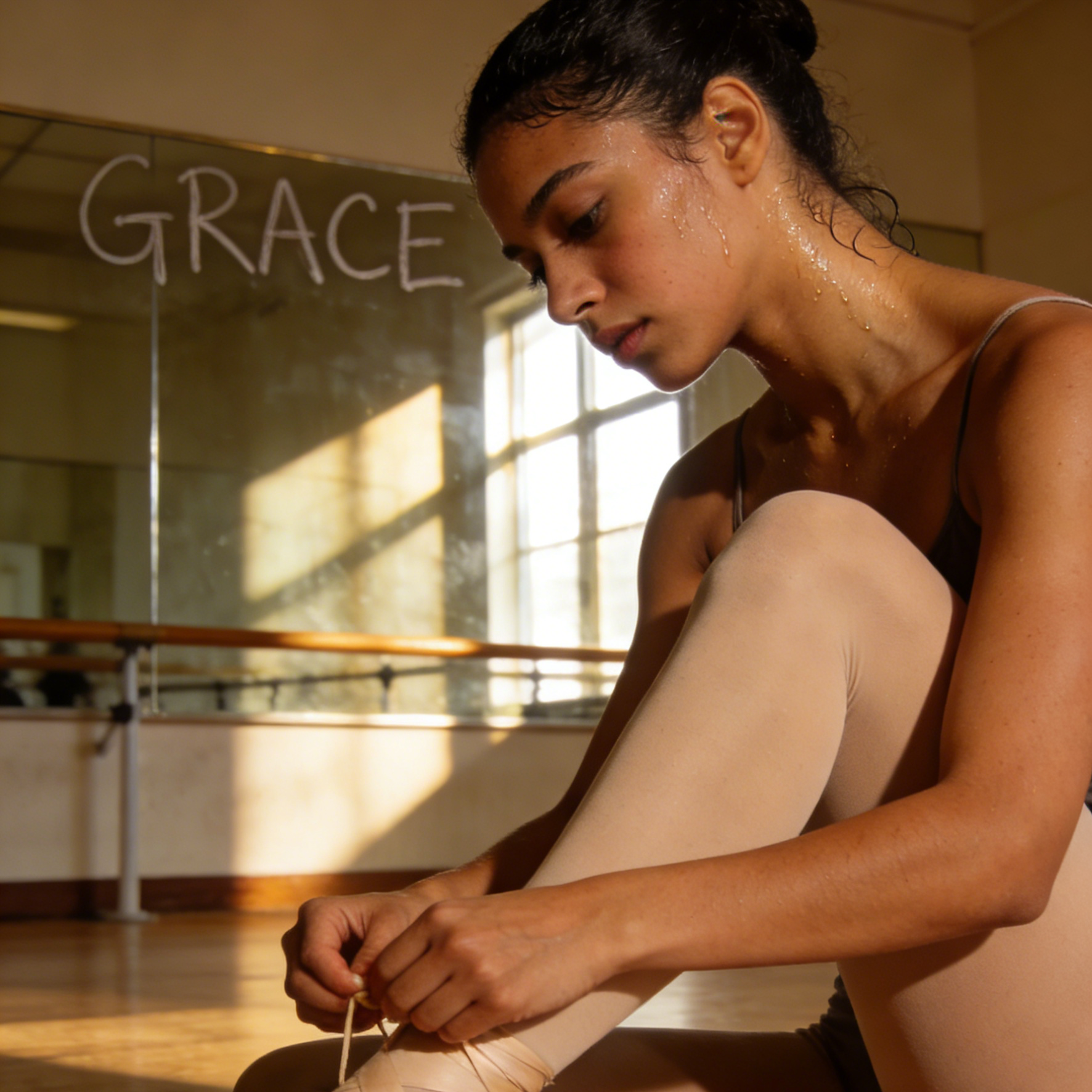
A ballerina tying her shoes in a studio with Grace written on the mirror
Performance Portrait

Grace Ballerina

An intimate rehearsal portrait with sweat, focus, and disciplined elegance.

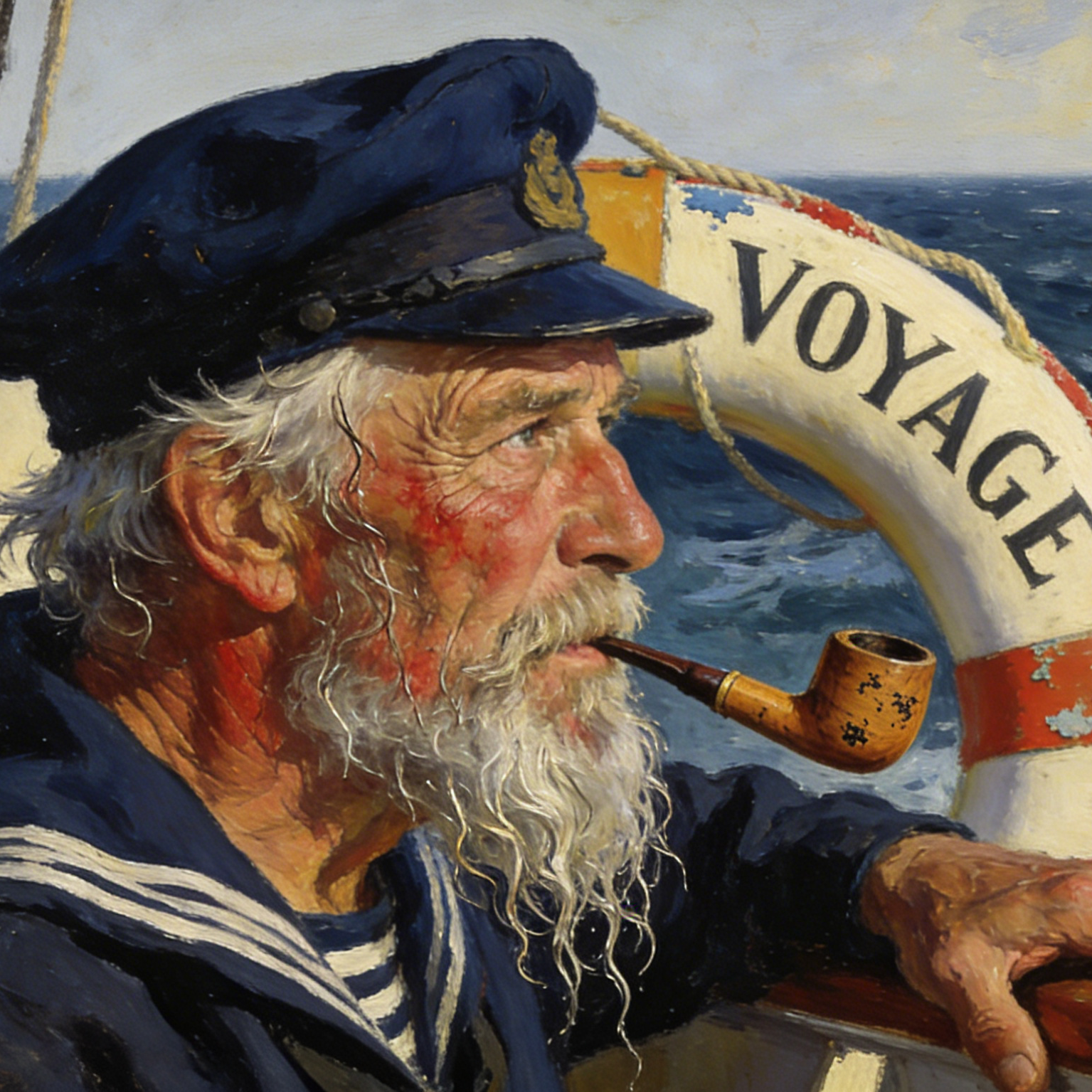
A weathered sea captain portrait in painterly style beside a lifebuoy labeled Voyage
Painterly Portrait

Voyage Captain

A traditional painted portrait with maritime character detail and weathered storytelling.

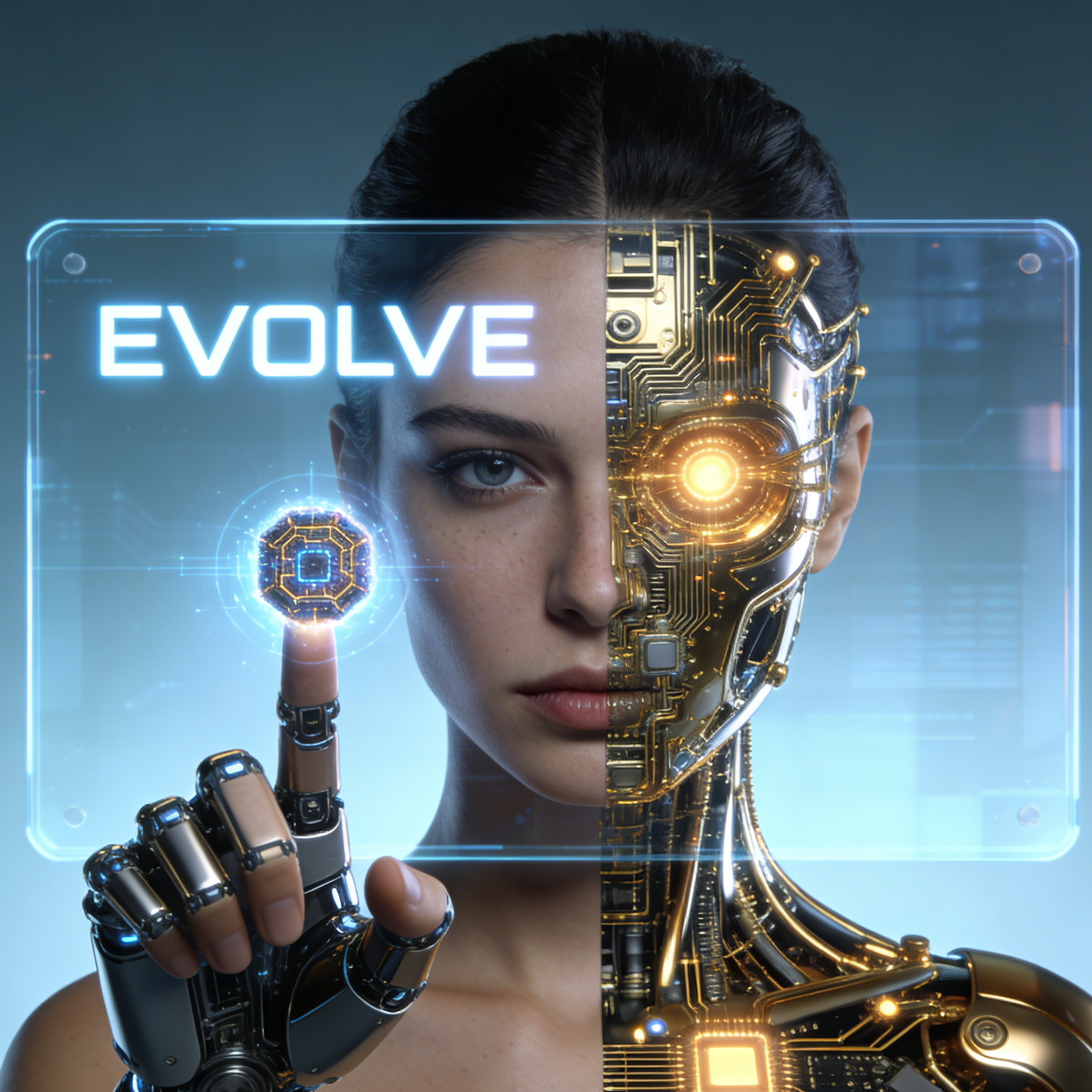
A cyborg woman portrait with one robotic half of the face and a glowing Evolve interface
Sci-Fi Portrait

Evolve Cyborg

A half-human, half-machine concept portrait for futuristic campaigns and character design.

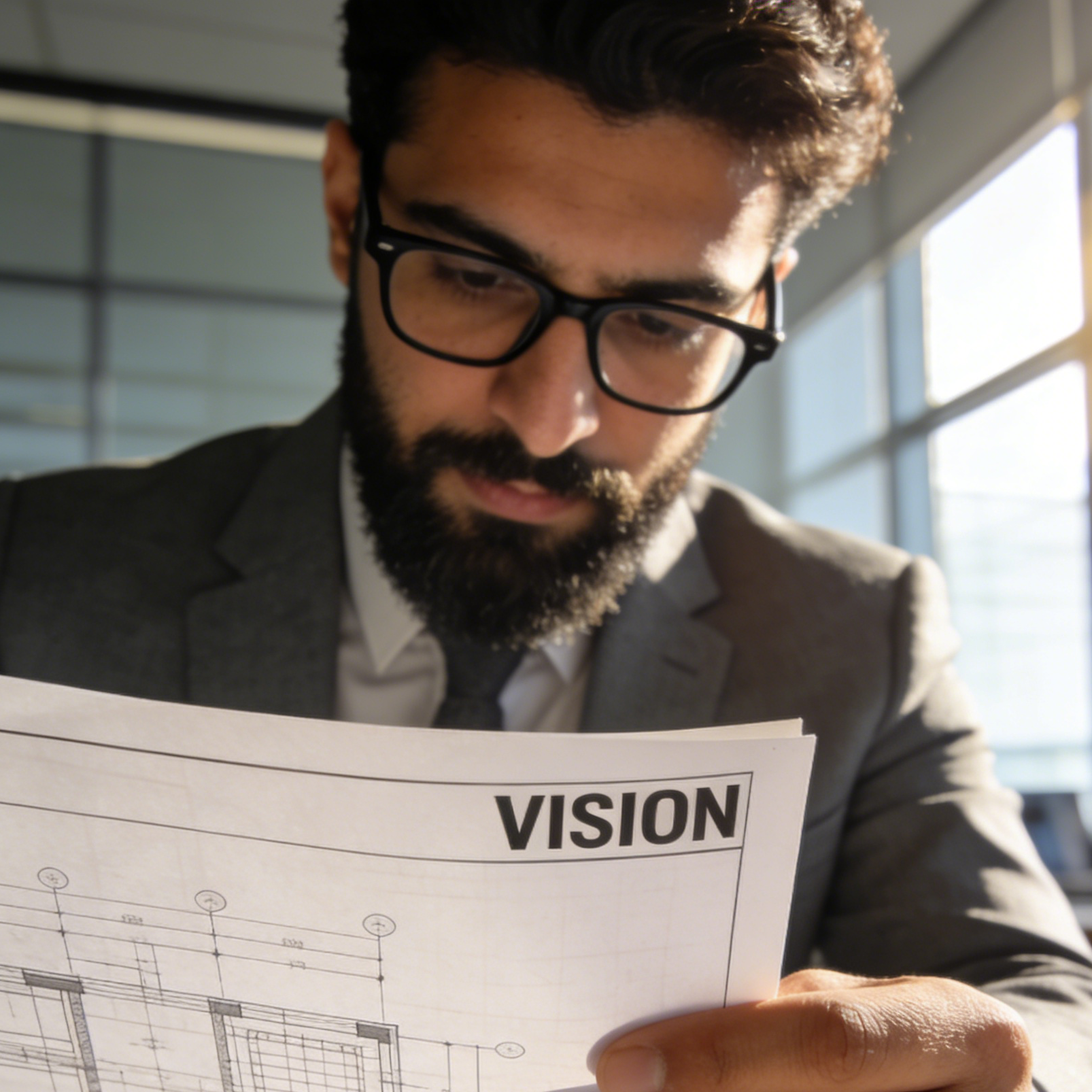
An architect in glasses reviewing a blueprint document marked Vision
Professional Portrait

Vision Architect

A work-focused portrait that blends personality, role context, and clean business framing.

A female doctor in a white coat standing in a clinical hallway near a Care Unit sign
Headshot

Care Doctor

A polished medical portrait that reads as credible, approachable, and career-ready.

Why creators use it

Build a stronger portrait workflow

Move from a broad idea to a usable image with clearer direction, faster comparisons, and a practical handoff into Seedance 2.5.

01

Clear creative direction

Shape the composition, lighting, color, and subject details for a more intentional portrait result.

02

Focused iteration

Use a clear reference and focused direction to keep the portrait look coherent across variations.

03

Practical handoff

Refine the strongest output for social posts, campaign concepts, thumbnails, or design exploration.

04

Reusable output

Compare alternate framing and styling choices before selecting the final portrait.

Creative uses

Where a portrait fits

Use this workflow when you need a specific portrait rather than a generic asset. Define the intended audience, platform, and visual or tonal direction before generating.

  • Develop a clear portrait concept before committing to a full campaign or production.
  • Test composition, lighting, wardrobe, background, and visual style in focused variations.
  • Create an approval-ready reference for clients, collaborators, or downstream editing.
  • Reuse the strongest visual direction across social, advertising, editorial, or product work.
Pro Tip

Write a production-ready prompt

Describe concrete production cues such as composition, lighting, color, styling, and subject detail. Specific direction gives the generator a clearer target and makes each revision easier to evaluate.

Create a portrait-first image with strong facial focus, expressive lighting, refined skin detail, cinematic composition, natural depth of field, genre-consistent wardrobe and environment, polished eyes, believable texture, premium color grading, and no watermark or extra text unless requested.
Three-step workflow

Create a portrait in three steps

Start with the prepared workflow, refine the details that define this portrait, then keep the best result or continue editing in Seedance 2.5.

Step 1

Start with your input

Open the generator and add an uploaded image that clearly establishes the subject and creative direction.

Step 2

Direct the result

Describe composition, lighting, color, styling, and subject detail, then remove conflicting instructions that could weaken the portrait.

Step 3

Review and refine

Compare the generated variations, keep the strongest image, and refine it for the final use.

Questions & Answers

AI Portrait Generator FAQ

Practical answers about creating, refining, and using a portrait in Seedance 2.5.

What does the AI Portrait Generator create?+

It creates a focused portrait from an uploaded image. Use the available controls to guide composition, lighting, color, styling, and subject detail, then compare variations before choosing the final result.

What source gives the best result?+

Use a clear, high-quality source that makes the main subject easy to identify. A focused source gives the portrait a stronger visual or tonal foundation.

Which prompt details should I prioritize?+

Prioritize composition, lighting, color, styling, and subject detail. Add only details that directly support the intended portrait, and remove instructions that compete with one another.

How does this workflow connect with Seedance 2.5?+

Keep the strongest portrait as a finished asset or continue refining it with another Seedance 2.5 tool. A focused source and concise prompt make later revisions easier to control.

Can I use the generated result in a commercial project?+

Commercial use depends on your plan, the applicable model terms, and the rights attached to your source material. Review the current terms before publishing or selling the result.

More Portrait Tools

Continue your creative workflow

Move from this portrait into the next Seedance 2.5 tool without losing the direction established in your selected result.

Explore More

Refine the result with more tools

Use complementary image, video, and audio tools when the project needs additional editing, motion, sound, or format changes.

Start Creating

Create your portrait

Start with an uploaded image, direct the details that define the portrait, and refine the strongest result in Seedance 2.5.